6 tips
‍to make
‍
your webcast
successful

Includes a checklist to help you prepare, run, and follow up on your webcast.

3Q Webcasting Platform Webcasting

1. Build interest in advance

The key to a successful webcast invitation is announcing the topics in an engaging way. Spark curiosity, for example with a survey launched in advance, then present the results during the webcast.

Show early on what participants will gain, to boost registrations and engagement.
3Q Webcasting EN Platform Live Chat3Q Webcasting EN Platform SSO

2. Use an experienced speaker

Since interaction is limited during webcasts, it is crucial that the speaker is able to captivate the audience on their own. A poorly prepared speaker without enthusiasm will quickly lose audience interest.

Choose a speaker who can convey content in an understandable and appealing way and ensures a varied process. Several speakers, who actively guide through the program, provide additional variety.

3. Showcase your company and brand

Simply placing a speaker in front of the screen isn't enough to spark enthusiasm. Use visual aids such as charts, images, video clips, and animations instead. Keep your slides to the key points and explain them verbally.

Pay attention to the presentation, too: place the speaker in front of an appealing background. A roll-up banner or display wall with your company logo or slogan looks professional and inviting. A green screen lets you digitally replace the background with other content, whether a static image or a video.
3Q Webcasting DE Plattform Live Chat

4. Create opportunities for interaction

Although webcasts offer limited interaction options, as this form of online presentation is a “one-to-many” stream, you don't have to completely forego interaction.

During a webcast, online participants can still participate in surveys and ask questions via a text-based chat.

5. Follow-up is just as important as preparation

Send thank you emails, ask attendees for feedback, provide recordings of the event as video on demand, and send relevant reference materials. A post-event follow-up, for example as a survey, is also useful. In this way, you receive valuable feedback and show appreciation for the participants.
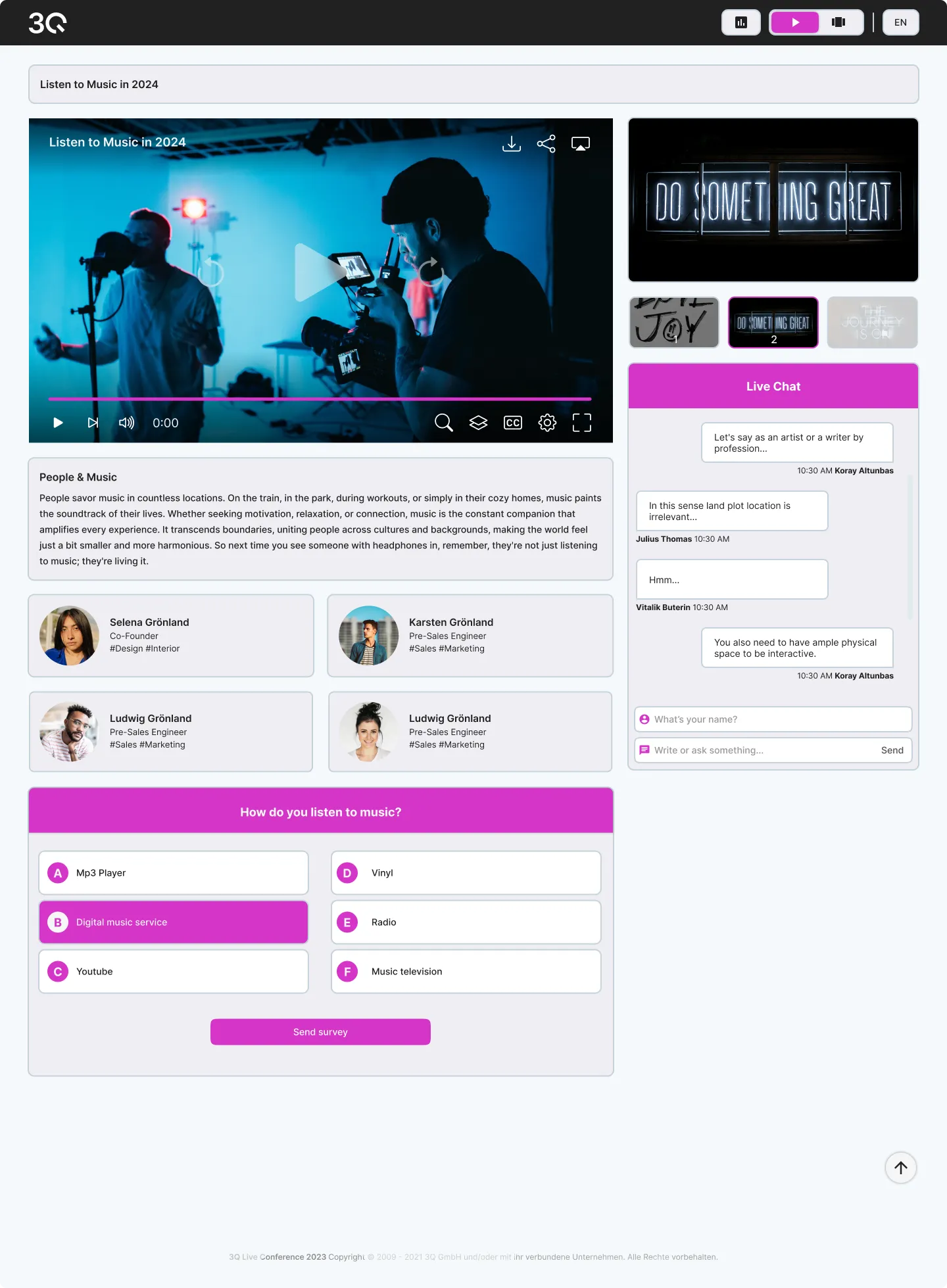
Webseite mit Umfrage zur Musikhörweise 2024, Videoplayer, Chat und Teamvorstellung.

6. Are all technical conditions correct?

Camera: If you're just getting started with livestreaming and hosting internal webcasts first, using a normal webcam or the built-in camera in a laptop is all you need. For large events with external participants, it is recommended to purchase or rent high-quality digital cameras to achieve particularly high image quality.
‍
Lighting: Clear, high-contrast lighting with sufficient colour saturation and brightness is essential to make the speaker clearly visible.

‍Microphone: The quality of the audio is crucial. A headset is a cheap option, but for professional sound quality, a high-quality stationary microphone with clear sounds, noise reduction, and avoidance of feedback is recommended. Also make sure the environment is quiet.

‍Encoder: An encoder is essential for livestreaming. This receives the signals from the image and sound sources, processes them and transmits the signals to the streaming server.
Video encoding offers significant advantages: It reduces the file sizes of recordings and thus enables a smooth stream, it adjusts the video or audio quality and makes the stream compatible with all devices. Software encoders such as the free Open Broadcaster Software (OBS) are sufficient for most applications and process audio and video signals directly on the computer.

Computers and Internet: Computers with powerful processors and enough memory are suitable for a smooth stream. The Internet connection should also be stable. To ensure interference-free transmission, image and sound must be able to be sent to the streaming server without interruption.
With a test run before the webcast, you can avoid unpleasant mishaps and present them in a relaxed way.

Take advantage of our checklist so you can plan your next webcast with peace of mind

A list for preparing, implementing, and following up on your webcast
Set project responsibilities, due dates, and status
In Excel format for easy use
Formattable and adaptable to your corporate design
3Q Webcasting DE Plattform Video Analytics KPIs